
Process and production
How to prepare CAD files for product rendering
The best handoff explains the object as well as delivering the file. Geometry, materials and the purpose of the images all shape what happens next.
Choose the correct product revision
A folder with several files named “final” makes it difficult to know which geometry should appear in the images. Identify one model as the current approved version and describe anything that is still subject to change.
Include a revision name or date and a short note about the differences from earlier files. If the cap, connector or packaging is provisional, say so before it is treated as a finished detail.
Keep a copy of the original design file. Preparing a visualization handoff should not overwrite the engineering source of truth.
Agree on the exchange format and check one sample
Ask the receiving team which formats work with its production tools. A native CAD file and an exported mesh do not necessarily preserve the same information. An exchange file may need a separate check for units, surfaces and part organization.
Start with one representative assembly. After import, check the overall size, orientation and visible surfaces together. This small check is more useful than sending a large batch in a format that later needs to be replaced.
Do not rely only on a filename to communicate scale. State the units and provide an overall dimension the team can verify. If the product is a family of related objects, identify which dimensions or components change between versions.
Keep the parts that need different treatment identifiable
A renderer needs to distinguish a clear cover from a metal body, a label from its container and a rubber grip from the part beneath it. Separate components or a clear naming system make those assignments easier to review.
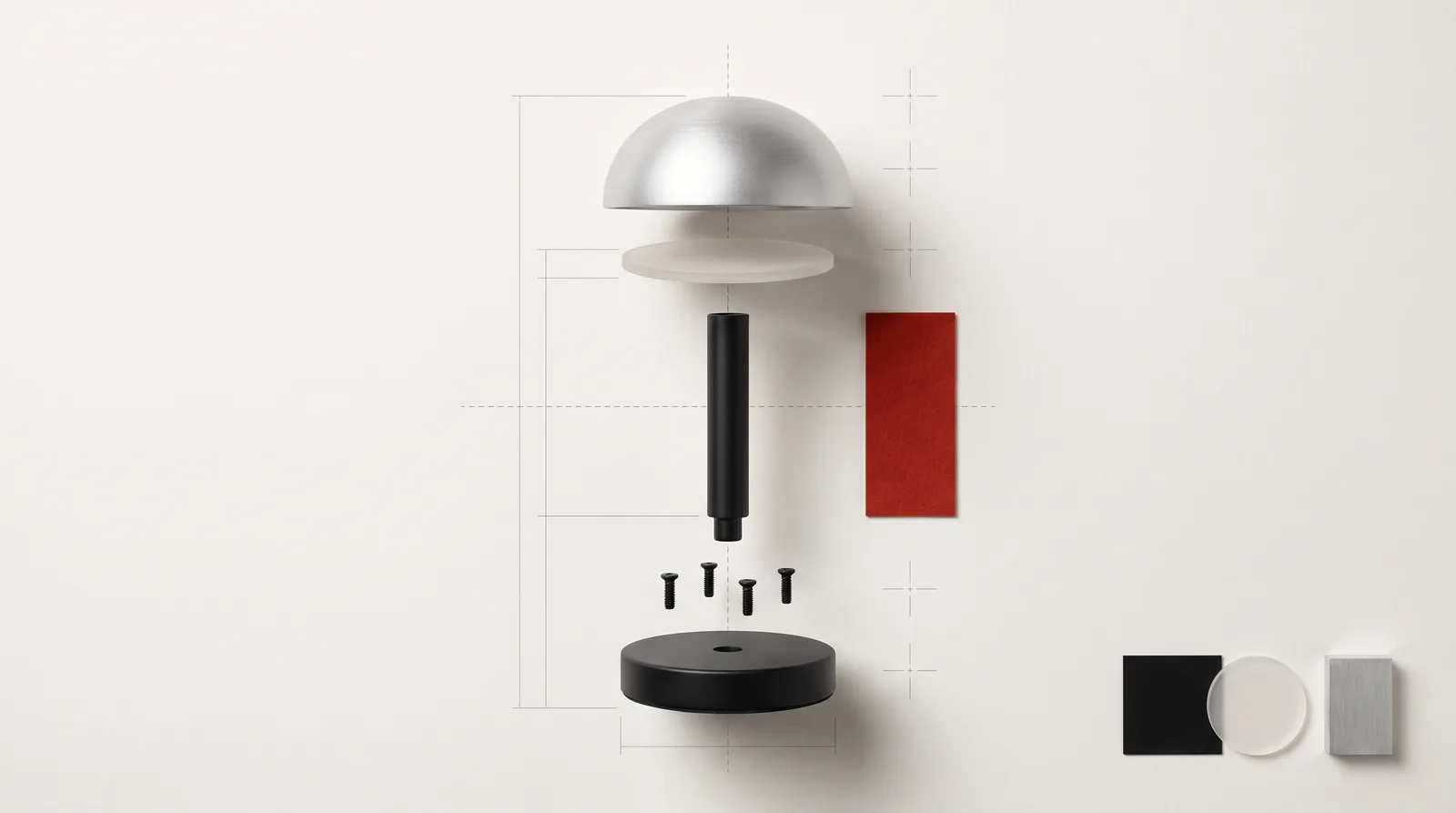
Remove duplicate or obsolete versions from the delivery package, while keeping your originals elsewhere. If the brief includes an exploded view, explain how the parts relate and what can move. Do not assume the model communicates the intended assembly sequence.
In the Keychron project, the product is shown through its components. Work like this benefits from a brief that identifies both the parts and what the viewer should understand about them.
Add a finish reference, not just a color
List the visible materials and match them to named parts. A useful note might distinguish painted aluminum, transparent plastic and a printed label rather than calling the entire object “black”.
Supply reference photographs that show highlights, texture and edges. Where possible, include more than one angle and avoid images whose appearance is dominated by a strong filter. A material swatch, manufacturer specification or approved sample can help resolve ambiguity.
For packaging, include the current artwork, the intended print position and any finish that matters visually. Mark foil, varnish, embossing or transparent areas so the team knows which details to reproduce.
Explain what the final images need to do
A catalog packshot, a campaign scene and a technical close-up ask different things of the same model. Describe the use of each image so the team can decide which details need particular attention.
- The views you need and the feature each view should explain.
- Backgrounds, environments and any visual references.
- Colorways, sizes and packaging versions.
- Image dimensions, aspect ratios and required file formats.
- Whether the project also includes animation or an exploded view.
- Where text or interface elements will sit over the image.
A close-up may reveal details that are irrelevant in a distant shot. Agreeing on the views before production helps identify those requirements early.
A small delivery folder with a clear readme
You can use a structure like this as a starting point. It is an example, not a required file format or a promise that every file can be imported unchanged.
product-name_revision-date/
  01_model/
  02_material-references/
  03_packaging-artwork/
  04_shot-list/
  readme.txt
The readme should identify the product revision, units, main dimensions, open decisions and the person who can approve changes. Share only the components and information relevant to the brief, using the agreed delivery channel.
What if you do not have a usable CAD model?
Start with what exists: drawings, dimensions, photographs, a prototype or a physical sample. The next step is to assess what can be modeled from that information and which details still need a decision.
Modeling should be identified as part of the scope when it is needed. A visualization model also should not be assumed to be manufacturing-ready engineering data: the intended use and required deliverables need to be agreed separately.
If you are deciding how to create the images in the first place, read our comparison of rendering and product photography. When you are ready to brief the work, send the current model or references with the shot list.
Have a model, a prototype or a first sketch?
Show us where the product stands and which images you need. We’ll define what is ready for production and what needs work first.
Share your project↗Product visualization ↗